

Q&A with Minimserver maker Simon Nash
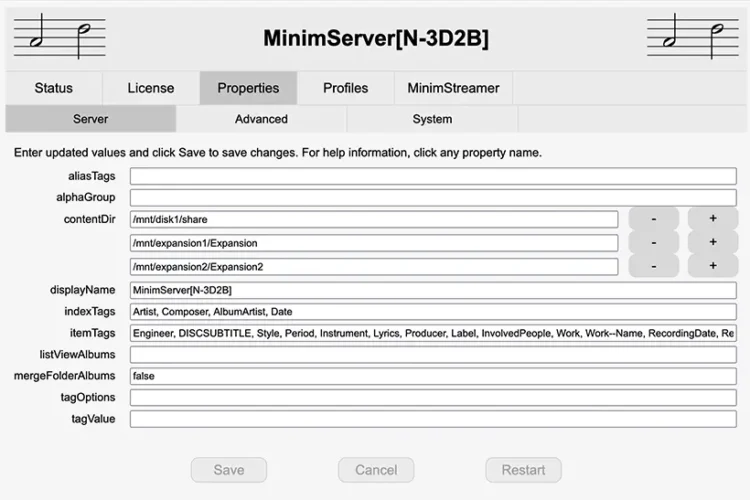
I recently switched server software on my Melco N10 music library from Twonky (the default software) to Minimserver on the advice of the UK Dela (formerly Melco ) distributor ADMM. Doing so brought a small but notable improvement in sound quality which gained more life and openness, but also improved the way that my library is displayed in the JPlay control app. The latter was not displaying albums by release date very well and this was sorted when using Minimserver.
Switching from Twonky to Minimserver proved a straightforward process and I was able to use it on a free trial to establish whether it would bring any benefits, as it did I am sticking with it. But it prompted a few questions about server software which I put to Minimserver founder Simon Nash.
What is server software and why do we need it?
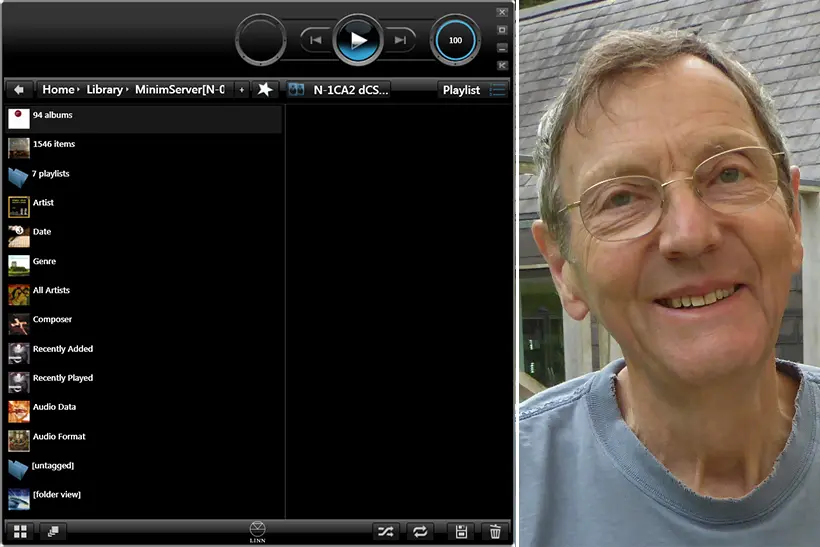
A typical home network has a server for storing a library of audio files, a player for playing these files [streamer] and a control app for selecting files and controlling playback. In this networked environment, we need server software to read and index the library for browsing by the control app and to stream files to the player when selected by the control app for playing.
Why use third party software such as Minimserver when the software provided on a NAS drive or audio server already appears to be doing what’s required?
The server software bundled with a typical NAS can stream your files but is usually not very flexible. Minimserver provides a better user experience, especially if you upgrade from the starter version of Minimserver to the full version. For example, Minimserver provides Intelligent Browsing, enabling you to browse your library by any metadata tags in any order with customised choices at each browsing step. Minimserver also has many advanced configuration settings that allow you to control how your albums and songs appear in your control app. These settings include sort order in lists, enhanced artwork display, alphabetical grouping, customising the Now Playing screen and much more.
Can server software make a difference to sound quality in the same way that control software does?
This is a controversial subject! Some will say that “bits are bits” and server software can’t make any different to the sound. My usual answer to this question is that server software can’t make the sound better but it can make it worse! This is because sound quality can be degraded by jitter and noise in the network connection between the server and the player (the bits are actually electrical or optical oscillations). Poorly designed server software can consume excessive server resources, increasing the internal load on the server and adding to jitter and noise sent through the network connection. This doesn’t change bits from 1 to 0 but it degrades the sound. Control software has a smaller effect on sound quality because the player has less interaction with the control app than the server while music is playing.
Also, server software can optionally transcode audio data (convert it to a different audio format) before sending it to the player. Depending on your network setup and what player is being used, this can provide a noticeable improvement in the sound.
Unlike Twonky, the default server software on Dela (formerly Melco) servers, Minimserver runs scans on the library. Is this something that Twonky does in the background or does it indicate a different approach?
Twonky scans the library continuously, looking for added and changed files. This consumes excessive system resources which degrades sound quality as mentioned previously. Minimserver only scans the library when requested by the user, ensuring that sound quality is not compromised by unnecessary scanning.
When does Minimserver run scans of the music library?
On most devices, Minimserver runs a scan when it is started. For faster startup, this startup scan can be disabled. The user can start a scan at any time when Minimserver is running. This would usually be after adding new music to the library. If music is playing when the scan is started, it will continue to play while the scan is running. Minimserver cannot run a scan when the server is not turned on.

I presume that there are no metadata editing options within Minimserver?
There are many excellent programs for editing metadata. Minimserver doesn’t attempt to compete with these programs because this enables the development effort on Minimserver to be focused entirely on making the server functionality better.
Is there anything else you would like to say about MinimServer?
Minimserver runs on a very wide range of devices and platforms (Windows, Mac, NAS, Linux, DELA/Melco) including older models. The same functionality and browsing experience is supported on all devices and platforms. This means that if you move your music library to a new device you will still be able to access it using Minimserver.
Support for Minimserver is provided via an online forum. User questions and problem reports are answered promptly. Unlike many online forums, the Minimserver forum is a friendly place where anyone from novice to expert can get help and advice to answer questions and solve problems. The forum is also a searchable knowledge base that can provide answers to many questions that have been asked previously.
A Minimserver 2 full licence costs £28 (or euro/dollar equivalent) for the first year and can be extended for £10 per year thereafter.